4
Voice
Talk instead of typing
Dictation through any speech server with an OpenAI-compatible API, or local Whisper. Answers read aloud with macOS voices. Conversation mode: you speak, Pi answers aloud, then listens again.
A macOS app · for the Pi agent
Pi Code is a desktop for Pi, the open coding agent. Every step, edit and command in plain view; you decide what may change; Pi checks its own work in a built-in browser.
No account. Works with the model you choose — local or cloud.
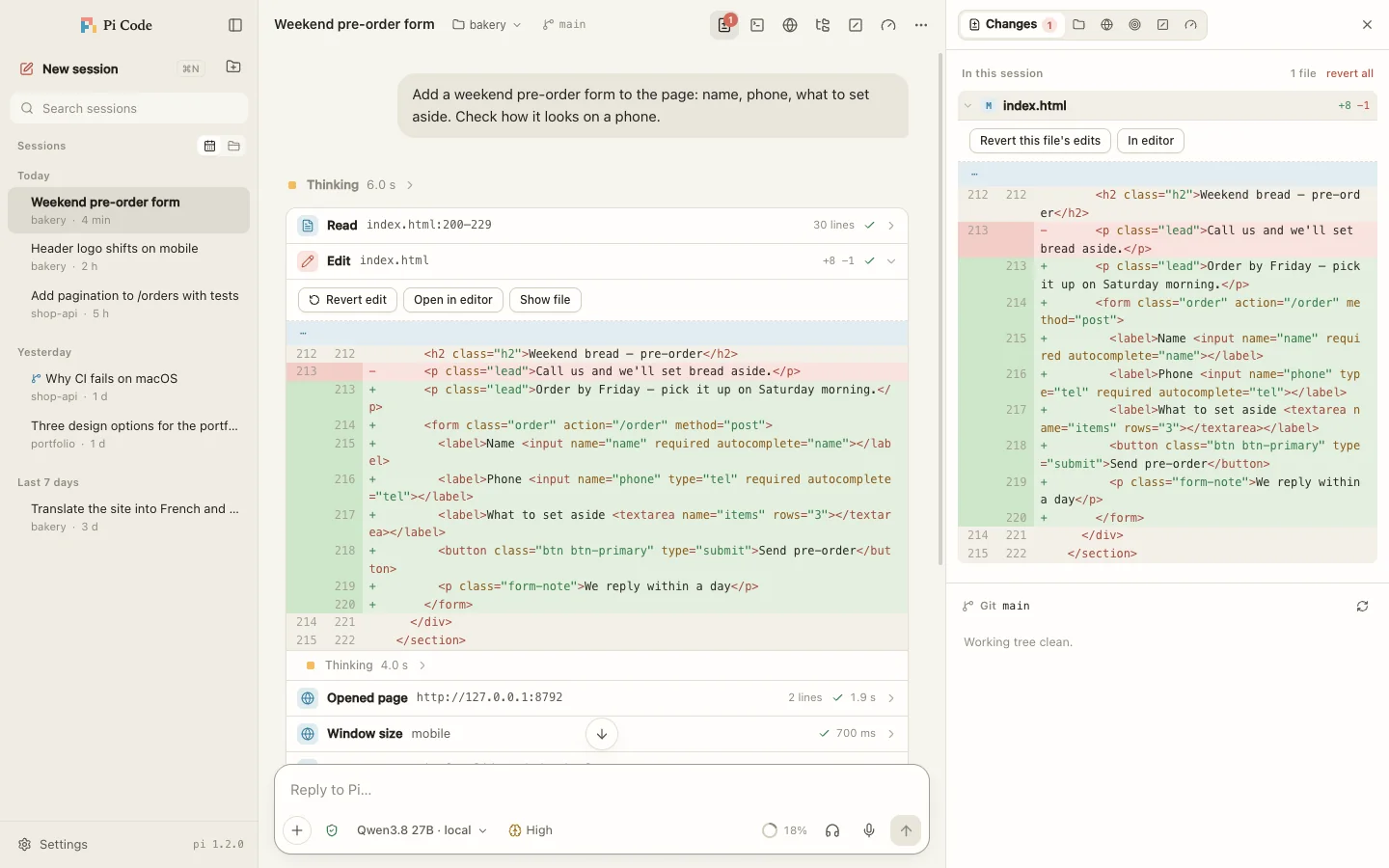
Pi is strong in the terminal. Pi Code gives it a window — to see what it does, decide what it may do, and talk to it out loud.
Timeline
Thinking, file reads, commands and edits in one timeline. Every edit comes with a diff; undo it with a button and Pi learns about it in your next message.
Browser
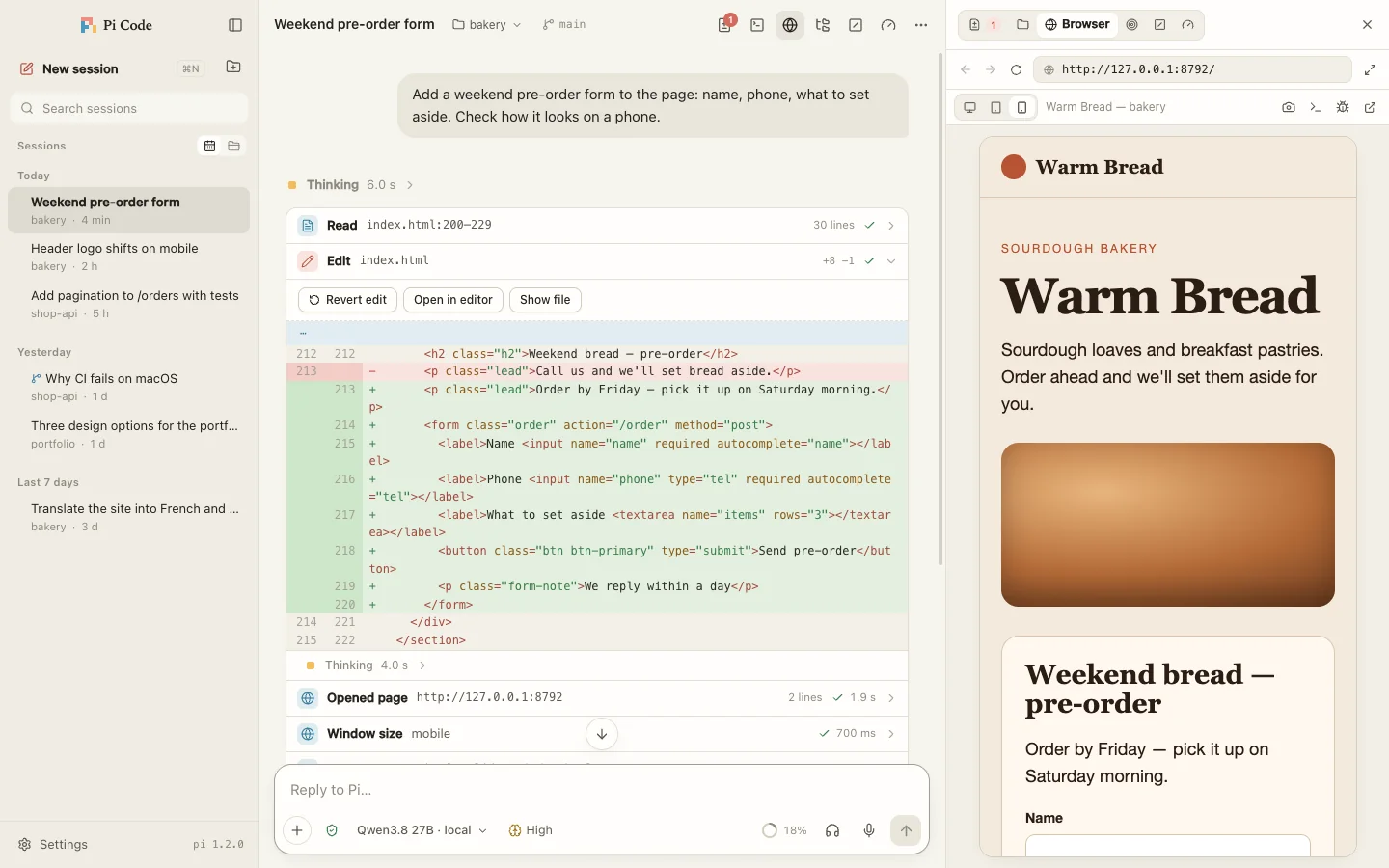
The built-in browser is the one you see. Pi opens the page, clicks, types, switches to phone width and takes screenshots. You watch and can step in.
Control
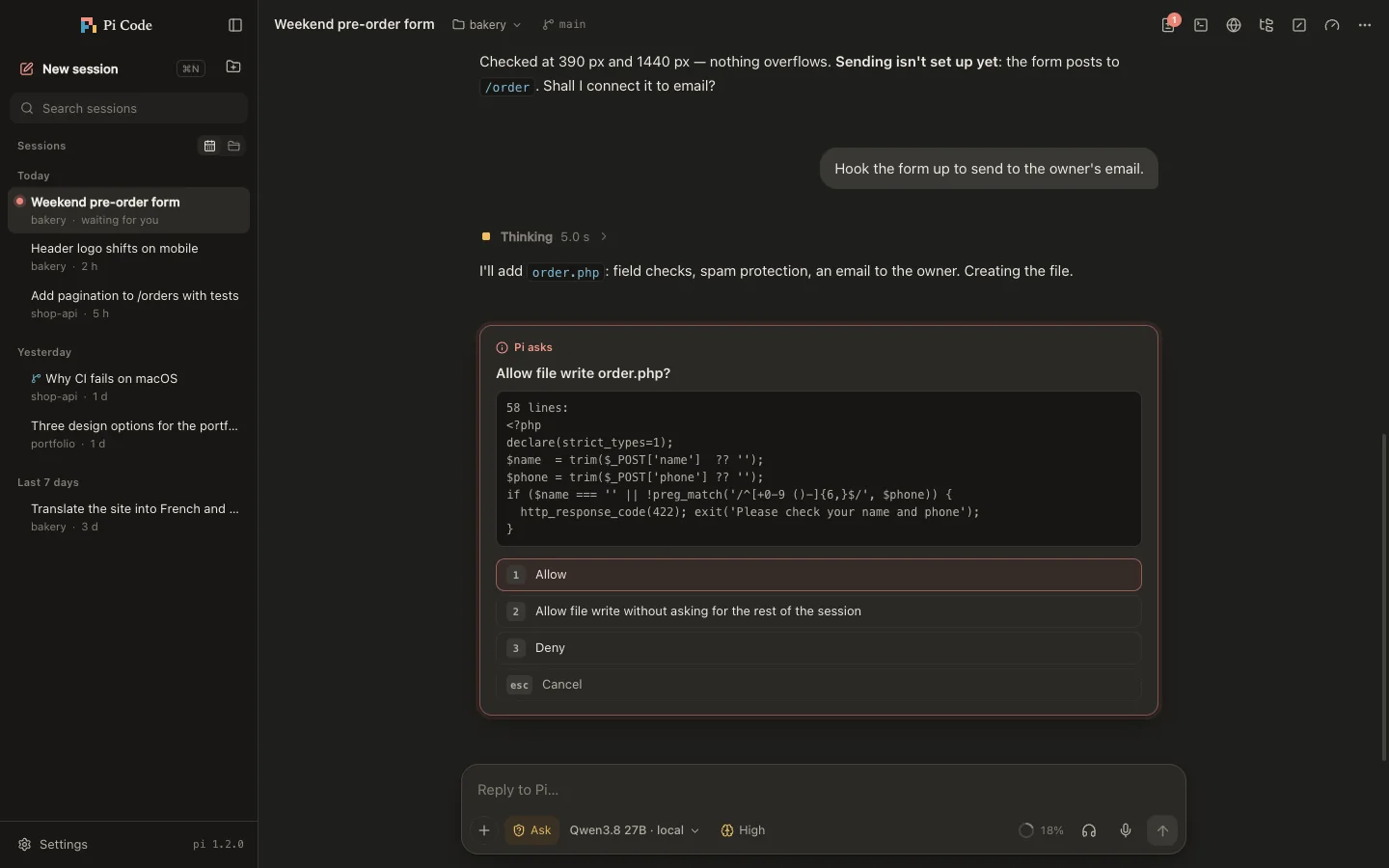
Three modes: normal — Pi’s own rules; Ask — confirm every edit and command; Plan only — Pi just reads and proposes a plan, and you press Run.
Voice
Dictation through any speech server with an OpenAI-compatible API, or local Whisper. Answers read aloud with macOS voices. Conversation mode: you speak, Pi answers aloud, then listens again.
Models
Pi Code uses Pi’s own setup: Claude and ChatGPT subscriptions, API keys, OpenRouter — or your own model through Ollama, LM Studio, llama.cpp or vLLM. Server address, key and model parameters are editable in Settings.
Workshop
Several sessions run in parallel, two side by side. A terminal at the bottom, files and git changes on the right, Pi’s goals and commands in their own tabs. Search reaches inside conversations too.
Open the DMG and drag Pi Code to Applications. On first launch macOS asks you to confirm: System Settings → Privacy & Security → Open Anyway.
If Pi is missing, the app offers a one-click install. Or in Terminal:
curl -fsSL https://pi.dev/install.sh | sh
Run pi in a terminal and use /login — or add your own server in Pi Code: Settings → Models & servers.
Pi is an open coding agent by Earendil (pi.dev). It reads and edits files, runs commands and works with whichever model you connect. Pi Code is a window for it; Pi itself is installed separately.
Pi Code collects no analytics and sends nothing to our servers. Model requests go where you point them: your local server or the provider you chose.
The app is signed with our own certificate but not notarized by Apple. Confirm once: System Settings → Privacy & Security → Open Anyway.
Pi Code speaks six languages: English, French, Dutch, German, Spanish and Russian. By default it follows macOS; change it in Settings → App.
Yes. Pi Code includes a design studio: for a site or a screen Pi first offers three different options, waits for your choice, and after building checks the result itself with desktop and phone screenshots. Images and mockups are drawn by Gemini if you connect it.
Not with a local model — Ollama or LM Studio on your Mac or home network. Cloud models need a connection.
macOS 12 and later only for now — Apple Silicon and Intel.